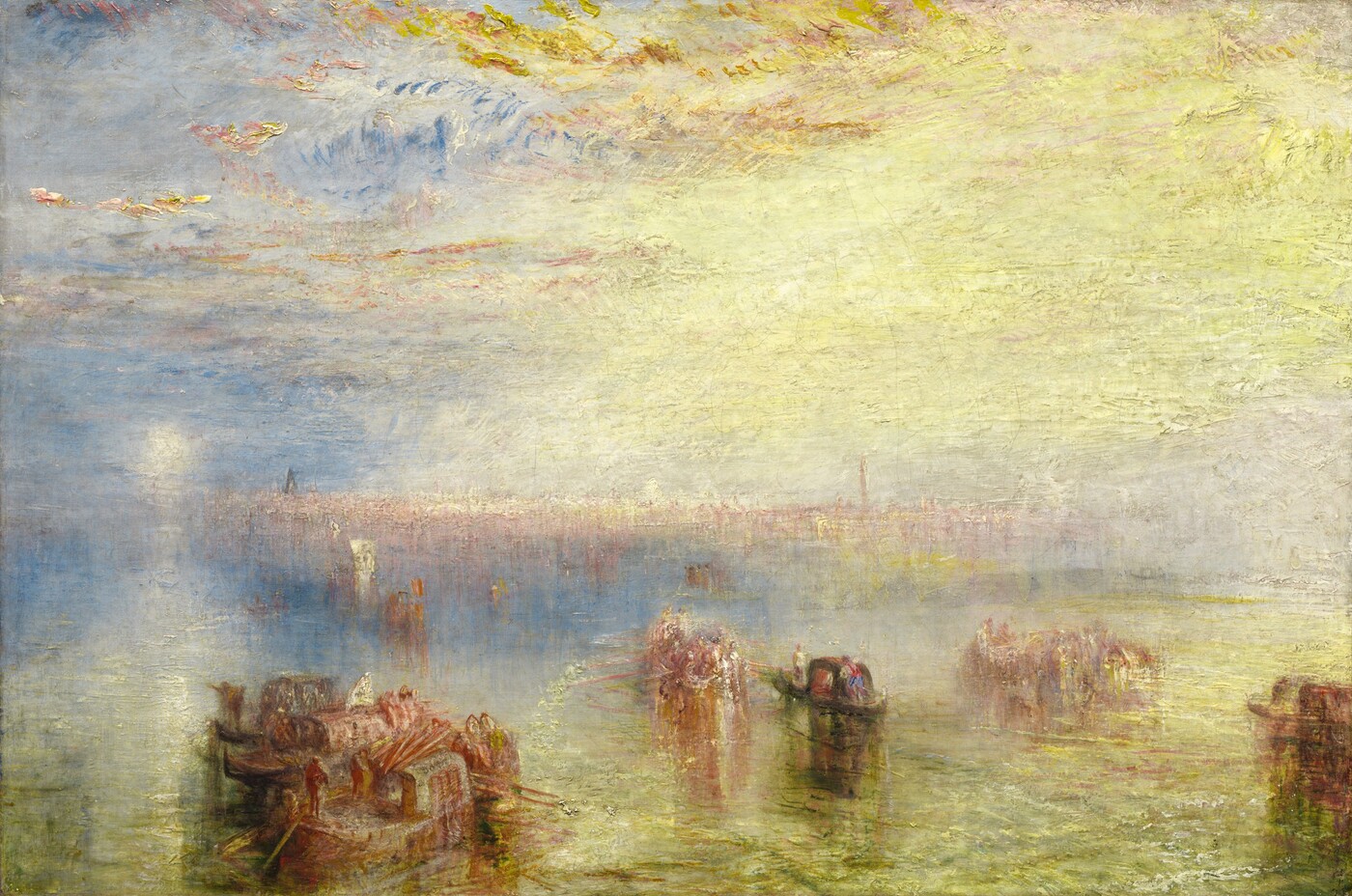
An atmospheric painting needs different levels of clarity. A foreground boat can be crisp while an entire city dissolves into light. Photoshop’s newer adjustment layers make that separation easier to revise, but the artistic decision still comes first.
What Adobe actually changed
On January 27, 2026, Adobe made two adjustment layers generally available: Clarity and Dehaze, and Grain. The distinction matters: these controls can sit in the layer stack, with masks and blending, rather than forcing you to commit a global change to your painted pixels. Adobe’s documentation describes Clarity as a midtone-contrast control and Dehaze as a way to adjust haze and contrast.
Adobe educator Julieanne Kost’s accompanying demonstration explores increasing or reducing edge contrast, changing atmospheric perspective and using grain to connect layers. Her tutorial is linked below. This article considers possible painting applications; it is not a hands-on performance review.
A painting worth looking at first
The image above is Turner’s Approach to Venice from 1844, supplied as a public-domain reproduction by the National Gallery of Art. It has not been processed to demonstrate the feature. Our visual reading is that the dark boats provide the sharpest small accents, while the distant architecture nearly merges with the sky. Making every building equally distinct would change the subject from light to architecture.
That gives a useful question to ask before moving a slider: which part of the picture should gain attention? A technically cleaner background can be a weaker background if it starts competing with the focal point.
Try a controlled comparison
- Open one of your own landscape studies. Save a separate working version and write down the intended focal point.
- Add Clarity and Dehaze from the adjustment-layer menu. Make a small change that is easy to compare with the original.
- Use its mask to restrict the effect to the area that needs emphasis. Keep distant shapes quiet if atmospheric depth is part of your design.
- If you try Grain, judge it at the image’s intended display size. A texture that feels attractive close up may disappear or become distracting in a small portfolio preview.
Know when to stop
Our suggested finishing check is simple: toggle the adjustment while viewing the complete composition. If your eye starts visiting background edges before the main subject, reduce or mask the change. If the image needs stronger lighting design, return to painting the large shapes rather than stacking corrections.
These layers are useful because they preserve choices. Their value is the ability to compare and revise, not an obligation to make every surface sharper, clearer or rougher.